Fifty contrast checks against the colour system — and what they caught
Auditing the Lights
When I built the colour system for this site, I annotated the palette definitions with contrast ratios — 7.2:1 on white ✓✓, that sort of thing. The annotations were spot checks, done by hand for the colours I was worried about. The colours I wasn’t worried about never got checked. You can guess where this is going.
The audit
The setup makes an exhaustive audit cheap. Every palette defines five semantic colours — primary, secondary (links), accent, danger, success — and every derived value (dark-mode variants, surface tints, muted text) is computed from those five with the same scale-color() and mix() formulas. So a short Python script that replicates the Sass colour math can compute the real rendered colour of every token in every palette and check it against WCAG 2.1: 4.5:1 for normal text, 3:1 for large text and graphics.
Five palettes × two modes × five semantic roles = fifty checks. The good news: links, muted text, primary and success passed everywhere, usually with a comfortable margin — links range from 5.4:1 to 8.1:1. The system’s core was sound.
The bad news came in two systematic clusters:
Danger failed in dark mode in four of five palettes (3.6–3.9:1). The dark-mode formula lightened the alert red by only 18–20%, which isn’t enough to lift a deep red like #B02424 off a near-black background. One formula, four failures.
Accent failed as text on light backgrounds in four of five palettes (2.1–2.9:1). The accent colours — ochre, coral, gold, teal — are mid-lightness by design, which is exactly what makes them work as decorative accents on dark footers and as underline rules. It’s also exactly what makes them fail as text on white.
The fixes
The danger fix was the easy one: lighten by 50% instead of 20% in dark mode. One line, and the alert red now sits between 6.3:1 and 7.8:1 in every palette.
The accent problem was more interesting because the same colour needs to do two jobs. As a border, an underline, a footer link on a dark surface — the mid-lightness accent is correct and shouldn’t change. As body-level text on white — the resume’s print link, hover states on pagination buttons — it needs to be much darker. Changing the accent itself would fix the text and break the footer.
So the accent is now two tokens. --accent stays what it was and keeps doing the decorative work. A new --accent-text is derived from it — darkened 45% in light mode, aliased straight to --accent in dark mode where the lightened accents already pass. Everything that sets accent-coloured text now uses --accent-text. In light mode that lands between 5.6:1 and 8.2:1; in dark mode nothing changed because nothing needed to.
Two individual colours also got nudged: Moonlight’s danger red (#DF4949 → #C43B3B, 4.0 → 5.1:1) and Verdant’s success green (#52875E → #457A51, 4.1 → 5.0:1). Both are barely perceptible shifts — a little deeper, a little less bright — and both were the kind of colour that annotated spot checks skip, because nobody worries about the success green.
After the changes: fifty checks, zero failures, and the lowest ratio anywhere in the system is 5.0:1 — above the threshold with margin, not squeaking past it.
What I’d tell past me
Two things. First, derived colours fail differently than defined colours. I checked the hex values I typed and trusted the formulas that transformed them. But a formula that works for one palette’s danger red fails for another’s, because “lighten by 20%” means something different at every starting lightness. If colours are computed, the computed results are what need checking.
Second, a colour that passes as decoration will tempt you to use it as text. The accent was never meant for body text, but it looked good, so it crept into a print link here and a hover state there. The --accent-text split makes the distinction structural: there is now a token whose name says what it’s for, and the pretty-but-illegible one no longer gets the chance.
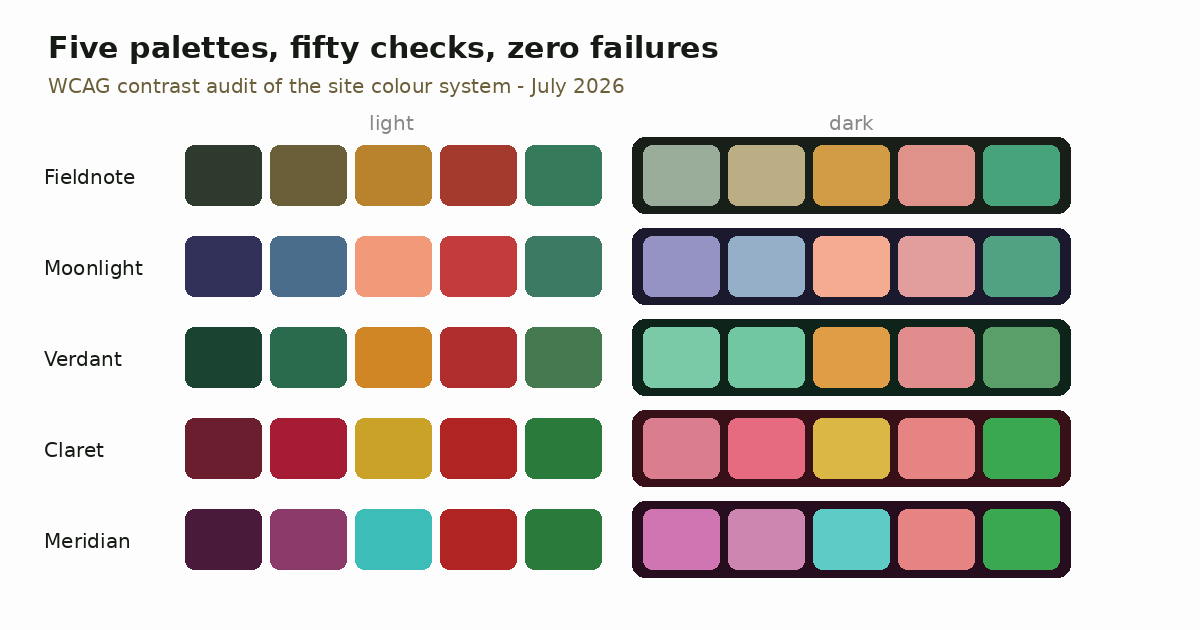
The palette strips on the colour system page have been updated with the corrected values. If you’re reading this in Moonlight and the alert red looks fractionally deeper than you remember — that’s not your memory.